


Ge Browser - Safe & Smart
4.8106.00 Reviews
App Specs
- Version
- 1.3.1
- Updated On
- License
- Free
- Downloads
- 500,000+
- Developer
- Av sign international
- Categories
- Tools
- Platform
- Android
Screenshots
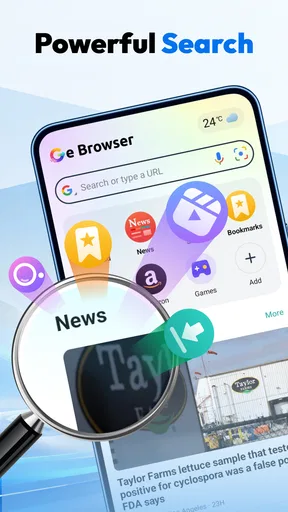
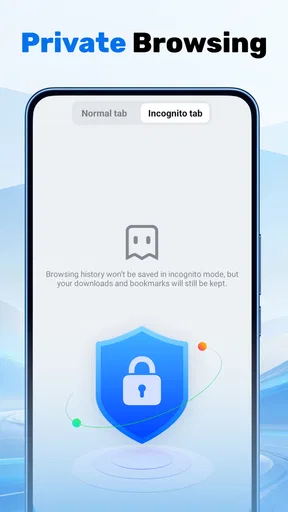
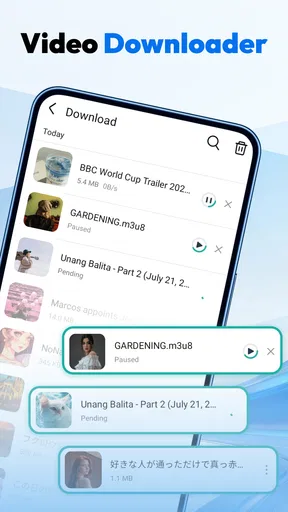
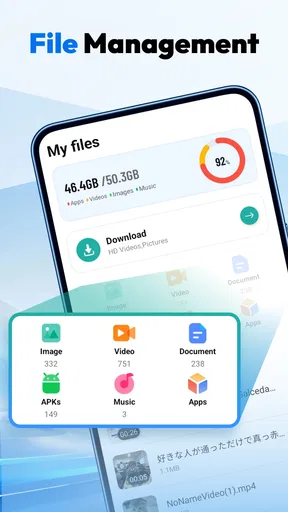


 Analysis by AppCompare
I tend to keep a separate browser for moments when I would rather not mix a quick search or a downloaded clip with my everyday browsing. Ge Browser - Safe & Smart is aimed at that kind of practical use: it combines private browsing with video downloading in a free tools app. That pairing is useful, but it also means the right question is not simply whether it can open a page. It is whether having both jobs in one place makes your routine easier.
A free browser with a focused purpose
There is no purchase decision to weigh before trying Ge Browser: it is free to use. That gives it an easy entry point if you want a dedicated browser for occasional private sessions or for saving videos when a site and its content allow it. I would treat the free access as a chance to see whether the workflow suits you, rather than as a reason to assume it replaces a full-featured primary browser.
The app is developed by Av sign international, and its description places privacy and video saving at the center of its purpose. I find that narrower focus more useful than a long list of vague claims. It gives a prospective user a concrete reason to install it: keep certain browsing separate, and have a downloader available without switching to another app.
Ge Browser is in the tools category and is rated for Teen users. Its current version is 1.3.1, and it requires Android 8.0 or later. Those details make it straightforward to judge basic compatibility, but they do not answer every personal question about privacy or downloads. I would still be thoughtful about what I browse and save, and check that any video is okay to download before doing so.
Its average rating is 4.9 from around 3,200 ratings, with 45 written reviews, and it has passed 500,000 installs. That reception suggests plenty of people have found a reason to try it, but ratings alone cannot tell me whether it handles my particular sites or privacy expectations well. I see those figures as context, not a guarantee of a flawless experience.
What the two main jobs mean in practice
A private browser is most useful when separation itself matters. For example, I might use a secondary browser to look up a gift while sharing a device, or to research a one-off topic without leaving it in the same everyday browsing routine. That is a convenience choice, not a promise that every trace disappears or that every kind of tracking is prevented. I would avoid treating the word “private” as a substitute for understanding the browser’s actual protections.
The downloader side is similarly practical but situational. If I find a video that I am permitted to keep for later, having the browser and saving workflow in one app could reduce the back-and-forth of copying links between tools. It is especially appealing when I want to watch something during a commute or somewhere with a weak connection. Whether that works for a particular page depends on the site and its rules, so I would not plan around every video being downloadable.
Worth Reading Before You Choose

Flipboard Shows What News Apps Must Do Beyond the Feed

Switching to Android Auto Means Rethinking Your Driving Routine

Google Calendar Makes a Crowded Week Easier to Manage

Ludo King Makes the Most of the Minutes Between Plans

Baby Panda World Brings Quick Play to Modern Phones, but Its Game Library Feels Busy

ESPN’s Live Game View Makes Following Close Games Easier
One useful habit is to decide what belongs in this browser before opening it. I would reserve it for a specific task—say, finding a tutorial and checking whether an allowed offline copy is available—rather than casually splitting my browsing across multiple apps. That simple boundary makes a second browser less confusing and helps me remember where I searched or saved something.
Where the combination saves effort—and where it does not
The strongest value here is convenience, not a claim that either function is the best in its field. In a typical browser, private tabs may be easy to reach, but video saving is often a separate task handled by the source app or another utility. In a dedicated downloader, saving may be the whole point, but it may not provide the same browsing context. Ge Browser brings the two purposes together, which can make an occasional, self-contained workflow feel tidier.
That combination also creates a trade-off. A browser built around downloading may not be the one I want for every sensitive task, and a privacy-focused label does not tell me how its protections compare with a browser whose privacy controls I already know. If I need detailed settings, established syncing across devices, or a particular security feature, I would choose a browser that clearly fits those needs instead of assuming this app covers them.
Another practical distinction is between “private” and “conveniently separate.” Keeping a session in a different app can help me avoid mixing it with ordinary browsing, but it does not automatically make the device anonymous or secure. I would still use care on shared networks, avoid entering sensitive account details casually, and remember that websites can have their own ways of recognizing visitors. That expectation keeps the app’s purpose in proportion.
For downloads, I would also check storage before collecting several videos. A saved file is useful only if I can find it later and have room for it. A sensible workflow is to save only material I expect to use, then review the phone’s downloads or media area afterward. This is a small but worthwhile habit with any downloader, especially when videos can take up more space than a quick text file.
Everyday situations where it can earn a place
Imagine I am planning a weekend repair and find a short instructional video while browsing. I can use Ge Browser to keep that search separate from my usual tabs, and, if the page permits it, try to save the clip for reference later. Before leaving home, I would open the saved item once to make sure it is actually available offline. That last check matters: a file that appears to have downloaded but cannot play when needed is no help during a repair.
A second good fit is a person who wants a lightweight, occasional-use browser rather than another permanent home for bookmarks and accounts. For instance, I might use it to investigate a product, compare a few pages, and then close the session without changing my main browser setup. This works best when I do not expect seamless handoff between browsers. If I constantly need the same tabs, passwords, and history on multiple devices, my usual browser’s ecosystem is likely more valuable.
The app may also suit someone who already knows why they want a video downloader but prefers not to install a separate browser just for that task. The convenience is clearest when the source page is easy to reach and the intended download is permitted. It is less compelling if most videos I watch live inside services that already provide their own offline option or restrict saving through other means.
Limits worth considering before relying on it
The biggest limitation is that the app’s two headline purposes do not, by themselves, establish how broad its site compatibility is or what privacy safeguards it provides. I would test it with a harmless, permitted video and a normal browsing session before relying on it for an important trip or a sensitive task. If the exact site I need does not work as expected, a service’s official app or a browser I already trust may be a better fallback.
I would also be cautious about making it my sole browser immediately. Switching browsers can mean leaving behind familiar bookmarks, saved logins, or habits, and a separate app is only helpful if I remember to use it for the intended purpose. Start with one or two repeatable tasks, such as private product research or saving an allowed tutorial, and see whether the extra separation actually reduces friction.
People who want a browser primarily for deep privacy controls should compare those controls directly before committing. Likewise, anyone who needs reliable cross-device continuity, a polished reading workflow, or a broad set of advanced browser tools may be happier with a more established general-purpose choice. Ge Browser’s appeal is its focused pairing, so it should be judged on whether that pairing fits rather than on everything a browser might do.
There is also a personal comfort question: some users simply prefer keeping downloads inside the official app that hosts the video. That can be cleaner for subscriptions, offline playback, and content management. A separate browser is better when the page itself is the starting point and a permitted local copy is genuinely useful; it is not automatically the right route for every clip.
Who is likely to get the most from it
I would recommend giving Ge Browser a try if you want a free, separate place for occasional private browsing and you often encounter videos you are allowed to save. Its value is strongest for people who appreciate having those tasks together and do not need a full browser replacement. The high average rating and broad install count make it a well-used option, though I would still judge it by my own sites and routines.
I would skip it if I need privacy guarantees that I can inspect in detail, if my preferred sites do not permit downloads, or if I depend on one synchronized browser setup across devices. I would also pass if I rarely save video; in that case, the extra browser may add an app to manage without solving a frequent problem.
A few practical checks before making it a habit
One question I would settle early is whether a saved clip remains useful in the way I expect. A browser-based download is not automatically the same as an offline copy inside a streaming service: the service may apply its own restrictions, and a file may need to be opened from the phone rather than from the original page. I would try one permitted clip, locate it afterward, and confirm it plays before building a travel or study routine around it.
I would also keep browsing and downloading as separate decisions, even though they happen in one app. If a page offers several media items, I would identify the specific one I need instead of saving everything that appears available. That reduces clutter and makes later retrieval simpler. It is a small workflow choice, but it matters more in a combined browser-and-downloader than it does when I only use a browser to read a page.
For someone deciding between this and a familiar browser’s private mode, the useful comparison is not a broad claim about which is safer. It is whether the added download workflow solves a recurring problem. If I only want a temporary browsing session, my existing browser may already be enough; if I repeatedly find permitted videos through web pages, having the saving task nearby may justify a separate app. The answer depends on the routine, not on the label.
Another reasonable question is whether to use it for account-heavy browsing. I would keep routine banking, work accounts, and other sensitive sign-ins in the browser whose security and privacy controls I already understand. For casual research or a permitted reference video, a separate browser can be convenient without asking it to take on responsibilities it has not earned in my setup.
My buy-or-skip verdict
My verdict is that Ge Browser makes sense as a focused utility, not as an automatic upgrade over the browser already on your phone. Because it is free, trying it for a modest, low-risk task is a reasonable way to decide whether its combined approach saves you time. Keep expectations practical, verify that a permitted download works before you need it, and use a different browser when your priorities are stronger privacy controls or a more connected everyday browsing experience.
Ge Browser - Safe & Smart is most appealing when you can name the exact job you want it to do: keep a one-off browsing session separate, or attempt to save a video you are allowed to keep. I would try it for that limited purpose, then decide whether the convenience earns a place on my phone. If the downloader does not work with the pages I use, or if I need a browser I can inspect and rely on for more demanding privacy needs, I would move on without treating the free install as a commitment.
Pros
- Simple interface makes everyday browsing easy to navigate.
- Built-in ad blocking can make pages less cluttered.
- Private browsing helps keep visited pages out of browsing history.
- Bookmark tools make favorite sites easy to revisit.
- Available for free
- so you can try it without an upfront cost.
Cons
- Ad blocking may not work consistently on every website.
- Private browsing does not hide activity from internet providers or websites.
- Some sites may not display properly with blocking features enabled.
- May offer fewer extensions and customization options than major browsers.
- Review the privacy policy before entering sensitive information or granting permissions.
FAQs for Ge Browser - Safe & Smart
What is Ge Browser - Safe & Smart?
Ge Browser - Safe & Smart is a mobile web browser for browsing websites on your phone. As with other browsers, its core purpose is to let you enter web addresses, follow links, and view online content. The exact tools and features available can vary by app version and device, so check the current store listing and in-app settings before downloading if you need a particular capability.
Is Ge Browser - Safe & Smart safe to use?
The name highlights safety, but a browser’s name alone cannot confirm how well it protects your data or blocks online threats. Before using it for sensitive accounts or payments, review its privacy policy, requested permissions, and available security settings. Keep the app updated, use trusted websites, and avoid entering personal information on pages that look suspicious.
Does Ge Browser - Safe & Smart protect my privacy?
Privacy depends on what information the app collects, how it uses that information, and whether browsing activity is shared with third parties. Read the developer’s privacy disclosures on the app store and look through the browser’s settings for controls such as history management or site permissions. If those details are unclear, avoid using the browser for activities involving highly sensitive information.
Is Ge Browser - Safe & Smart free to download?
Whether the app is free, includes advertising, or offers paid features can change over time and may differ between Android and iOS. Check the listing for your device before installing, including any in-app purchase information. Also review the app’s permissions and storage requirements so you know what to expect and can decide whether it suits your phone and preferences.
What should I check before installing Ge Browser - Safe & Smart?
Confirm that the app is available for your device and that your operating system meets its current requirements. Check the developer name, latest update date, user reviews, privacy information, and requested permissions in the official app store. These details can help you judge whether the browser is actively maintained and appropriate for your needs before you make it your default browser.


